


Word on Fire Digital
4.7214.00 Reviews
App Specs
- Version
- 10.001.1
- Updated On
- License
- Free
- Downloads
- 50,000+
- Developer
- Word on Fire Catholic Ministries
- Categories
- Lifestyle
- Platform
- Android
Screenshots
 Analysis by AppCompare
When I choose a faith app, I want to know whether it gives me a useful way into a subject or simply puts a lot of material behind a search box. I also consider whose perspective shapes the content, how easily it can fit into a normal day, and whether I need a broad reference library or a more focused Catholic resource. Word on Fire Digital makes the most sense when I want to spend time with Catholic teaching through video, audio, and writing, rather than browse a general-purpose lifestyle app.
That focus is both its clearest strength and the main reason it will not suit everyone. It is a free lifestyle app from Word on Fire Catholic Ministries, built around Bishop Barron’s work. The app has a 4.7 average from over 600 ratings, and more than 50,000 installs. Those figures suggest an established audience, but the more useful question is whether its approach matches what you want from a spiritual resource.
Decide what kind of faith resource you need
If you are looking for short reflections alongside longer material to explore at your own pace, this app has a clear appeal. It brings together different formats, so you can choose according to the time and attention you have: watch when you can sit down, listen when your hands are busy, or read when you want to move through an idea slowly. I find that flexibility more practical than relying on one format for every situation.
The trade-off is that a substantial library can make it harder to decide what to do next. I would approach it with a small purpose rather than trying to sample everything at once. For example, choose one topic or series, then use a reflection or podcast as a lighter companion. That turns browsing into a routine and makes it easier to notice what actually helps you think, pray, or learn.
What is Word on Fire Digital?
First things first, Word on Fire Digital is like having a spiritual library right in your pocket. It's an app brought to you by Bishop Robert Barron, aimed at providing resources for understanding and deepening your Catholic faith. Think of it as Netflix, but for theology and spirituality.
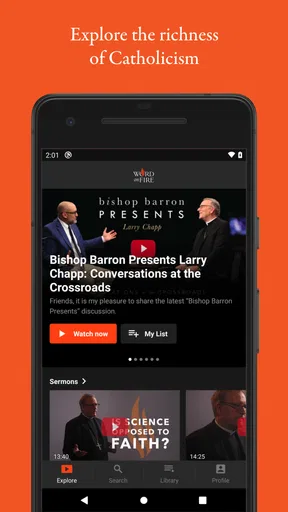
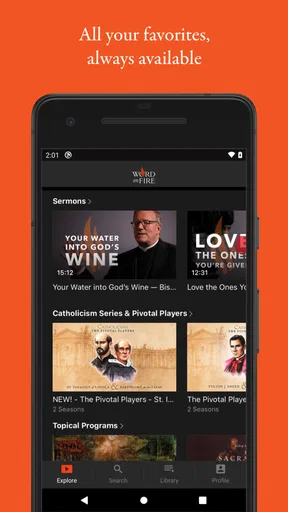
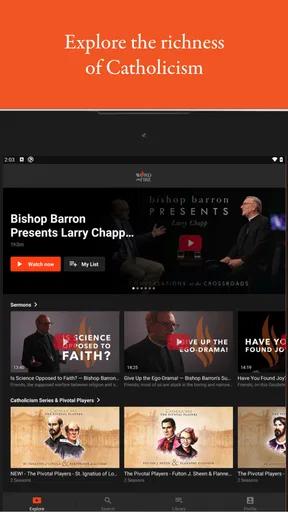
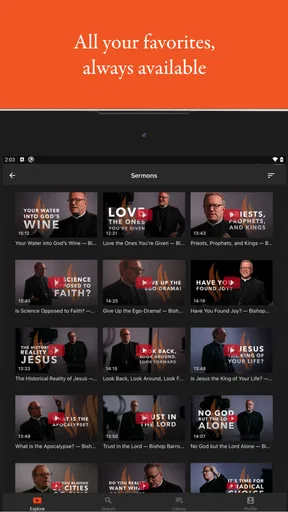
Once you open the app, you're greeted with a clean, user-friendly interface. It's easy to navigate, and everything is neatly categorized, making it super simple to find exactly what you're looking for. Whether you’re interested in video series, podcasts, or articles, it's all there and just a tap away.
Content Galore
Now, let's talk about the content. This app is jam-packed with an extensive collection of videos, audios, and writings. Bishop Barron’s acclaimed video series, such as "Catholicism" and "Pivotal Players," are all available and offer deep insights into the history and teachings of the Church. I found the quality of these productions to be top-notch, with stunning visuals and engaging narratives.
Worth Reading Before You Choose

Flipboard Shows What News Apps Must Do Beyond the Feed

Switching to Android Auto Means Rethinking Your Driving Routine

Google Calendar Makes a Crowded Week Easier to Manage

Ludo King Makes the Most of the Minutes Between Plans

Baby Panda World Brings Quick Play to Modern Phones, but Its Game Library Feels Busy

ESPN’s Live Game View Makes Following Close Games Easier
For those who enjoy podcasts, there are plenty to choose from. Bishop Barron’s homilies and other podcasts provide a great way to reflect on the scriptures and teachings of the Church throughout your day. It's perfect for those long commutes or quiet moments at home.
Build a routine instead of a queue
One useful way to handle a library like this is to give each format a different job. I would use a Gospel reflection as a brief morning pause, save a longer video for a quiet evening, and turn to audio when I am walking or doing household tasks. The point is not to consume more; it is to choose material that fits the attention I can give it. That distinction matters when a platform offers more than one kind of content.
Bookmarks and playlists can support that approach, but they work best when they reflect a real plan. I might keep one playlist for a topic I want to follow and another for items I want to revisit, rather than saving every interesting-looking piece. A small, intentional collection is easier to return to than an ever-growing pile of saved material. If you share a device or listen in different settings, it is also worth checking how the app behaves for your own routine before relying on a particular setup.
Features that Stand Out
One feature that caught my attention is the "Daily Gospel Reflections." Each day, you get a short, thoughtful reflection on the day's Gospel reading. It’s a fantastic way to start your day on a positive note and keep your mind focused on your faith.
The app also allows you to bookmark your favorite content and create playlists. This means you can easily organize your own spiritual retreat within the app. It’s like having a personalized spiritual guide right there with you 24/7.
Another highlight is the "Community" section. Here, you can connect with others who are also on their spiritual journey. Share insights, ask questions, and engage in meaningful discussions. It’s a supportive environment that fosters growth and understanding.
Where another kind of app may work better
Compared with general podcast players, this app is more deliberately centered on Catholic formation and Bishop Barron’s body of work. A general player may be the better choice if your priority is to gather shows from many unrelated publishers in one place. Likewise, someone seeking a broad, multi-faith reference or a quiet prayer timer may prefer a resource designed specifically for those tasks rather than a content-focused library.
That is not a knock against this app; it is a question of fit. Its particular point of view gives the material coherence, but it also means it is not a neutral survey of every Christian tradition or a substitute for parish life, personal study, or a conversation with a trusted teacher. I would treat it as a way to explore and reflect, not as the only source for every question that comes up.
A realistic use case is a weekday morning when you have a few minutes before work. You could open a Gospel reflection, take one thought with you, and return later to a longer talk when you have more attention to spare. On a commute, audio may be a better match than video; when you are tired or distracted, a short item is likely more useful than starting a substantial series you cannot properly follow. Choosing by context is a small habit, but it makes the app easier to keep using.
My Personal Experience
Personally, exploring this app has been quite an enriching experience. It’s not just about consuming content; it’s about engaging with it. I’ve found myself reflecting more deeply on my faith and the teachings of the Church. The app has become a daily companion, offering guidance and inspiration.
One thing I particularly appreciate is the accessibility. Whether you’re new to the faith or have been practicing for years, there’s something for everyone. The content is presented in a way that’s both informative and approachable, making complex theological concepts easier to grasp.
Cost, compatibility, and the commitment to try it
The app is free to install, so you can explore whether its style suits you without paying at the outset. It also offers in-app purchases, with items ranging from $19.99 to $199.99. I would check what a purchase includes and whether it matches your intended use before committing; the free entry point does not mean every piece of content or option necessarily comes at no cost.
It is rated for Everyone and requires Android 8.0 or later. The current version is 10.001.1, and the app was released on March 26, 2018. If you are considering it for an older device, check the operating system first. If you mainly want to listen or watch in a particular place, try a short session there before building a routine around it; this is the simplest way to see whether its formats and navigation work for your day-to-day habits.
Switching from another podcast or video app does not have to mean abandoning it. I would keep a general player for shows from a wider range of creators and use this one when I specifically want Word on Fire material. That split avoids forcing one app to do two different jobs. If your existing routine is built around a different Catholic resource, try this one alongside it for a few days before moving saved items or changing habits. The real cost of switching is often not money but losing a familiar way to find what you need.
Final Thoughts
In a world filled with distractions, Word on Fire Digital offers a refreshing oasis of spiritual enrichment. It’s an app that invites you to pause, reflect, and grow in your faith. If you’re looking for a tool to help you deepen your understanding of Catholicism, I highly recommend giving it a try.
So, if you’re ready to embark on a journey of discovery and connection, download the app and see for yourself. It might just become your new favorite app. Trust me, your spiritual life will thank you!
My recommendation is strongest for Catholics who appreciate Bishop Barron’s teaching and want video, audio, and written material gathered around that perspective. It is also a reasonable starting point for someone curious about Catholic thought who prefers approachable explanations to searching across unrelated sources. I would skip it if you want a broad interfaith library, a tool focused mainly on prayer tracking, or a feed drawn from many independent voices. For everyone else, begin with one reflection and one longer piece, then decide whether the style earns a regular place in your day.
Pros
- Rich library of religious content.
- User-friendly interface design.
- Regularly updated sermons.
- Offline access for convenience.
- High-quality video and audio.
Cons
- Limited content for non-Catholics.
- Subscription required for full access.
- No community interaction features.
- Lacks customization options.
- Occasional streaming issues.
FAQs for Word on Fire Digital
What features does the Word on Fire Digital app offer?
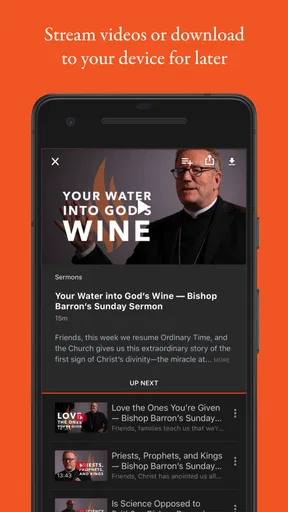
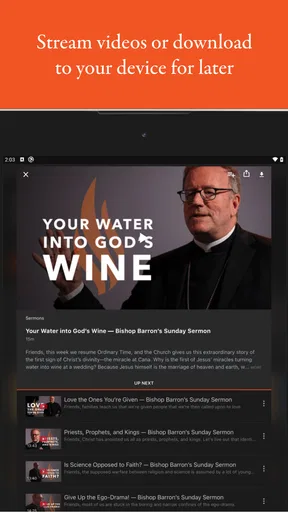
The Word on Fire Digital app provides users with access to a vast library of Bishop Barron's sermons, articles, and videos. It includes exclusive content, such as documentaries and series on theology, philosophy, and spirituality. The app also offers offline viewing, allowing users to download content for easy access without internet connectivity.
Is a subscription required to use the Word on Fire Digital app?
Yes, the Word on Fire Digital app requires a subscription to access its full range of content. Users can choose from monthly or annual plans, which provide unlimited access to the entire library. However, there may be some free content available upon initial download to give users a preview of the offerings.
Can I access Word on Fire Digital content offline?
Absolutely. The app includes an offline mode that allows users to download videos and audio content directly to their device. This feature is particularly useful for users who want to enjoy content while traveling or in areas with unreliable internet access. Simply download the desired content while connected to the internet.
Is the Word on Fire Digital app available for both Android and iOS devices?
Yes, the Word on Fire Digital app is available for download on both Android and iOS devices. Users can visit the Google Play Store or Apple App Store to download the app. The app is optimized for both platforms, ensuring a seamless experience across different devices and screen sizes.
How user-friendly is the Word on Fire Digital app interface?
The Word on Fire Digital app boasts an intuitive and user-friendly interface. Navigation is straightforward, with clearly labeled sections for different types of content. The app also includes a search function, making it easy to find specific topics or sermons. Users of all ages should find it easy to operate and explore.


